Start a session well
Most of what goes wrong with a coding agent goes wrong in the first two minutes, before a line of code exists. This lesson is the opening: a brief that says what you want and what must not move, the context it has no way of guessing, and the habit of sending it to look at your project before it touches anything.
- Open a session with a brief the agent restates back to you
- Name the constraints a computer cannot guess
- Send the agent to read and report before it changes anything
Open with a one-page brief that sets the goal and the guardrails.
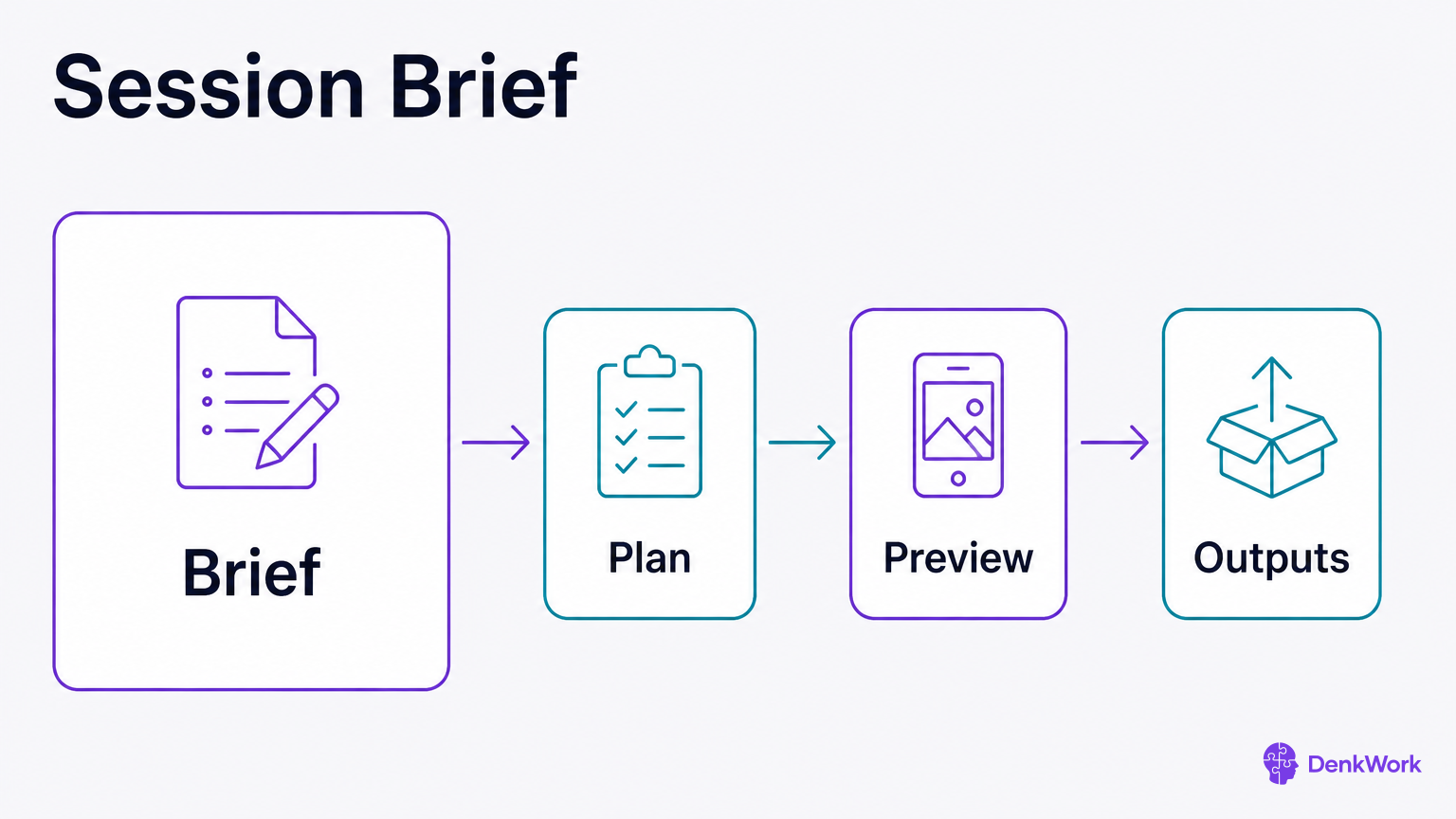
A brief is your opening handshake. It says what you are building, the tools in play, any hard limits, and what you want handed back. It also names what must not change and where decisions get recorded. A solid brief saves you from a dozen follow-up questions and keeps early work on the rails.
Keep it short and structured. Name the feature or fix. Name the stack at a high level, like “React Native with Expo, Supabase, Stripe, Modal, Resend, Astro on Vercel, GitHub with CodeRabbit.” Call out constraints a computer cannot guess: design rules, legal or security red lines, time budget, and who uses the thing. Say what to return: the plan first, then a preview of changes, then the code only after approval. Ask for a summary back in the agent’s words.
Keep a record from the first minute. Ask the agent to create a decisions log and a session log in your project, and to update both as work happens. A log turns five separate chats into one memory.
- 1
Start a fresh chat with your agent and paste your brief.
Open Claude Desktop or your coding agent, create a new conversation, and paste your one-page brief.
CheckThe agent replies with a short restatement of your goal and constraints.
- 2
Ask the agent to create two files for memory.
Request DECISIONS.md and SESSION_LOG.md at the project root and to update them during the session.
CheckThe agent confirms both files exist and shows their initial contents.
You are my coding agent. I am not a developer.

Goal: [state the feature or fix].
Stack: React Native with Expo, Supabase, Stripe, Modal, Resend, Astro on Vercel, GitHub with CodeRabbit.
Constraints: [non-negotiables: design rules, security limits, time budget, users affected].
Do-not-change: [files, flows, or text to protect].
Hand back:
- First: a short plan with numbered steps and a check for each step that a human can run.
- Second: a preview listing files you will add or change for step 1 only.
- Third: code for step 1 only, after I approve the preview.
Memory: create DECISIONS.md and SESSION_LOG.md at the project root, and update them as we go.

First, restate the goal and constraints in your own words. Then propose the plan. Wait for my approval before any changes.Tell the agent what it cannot guess and what must not change.
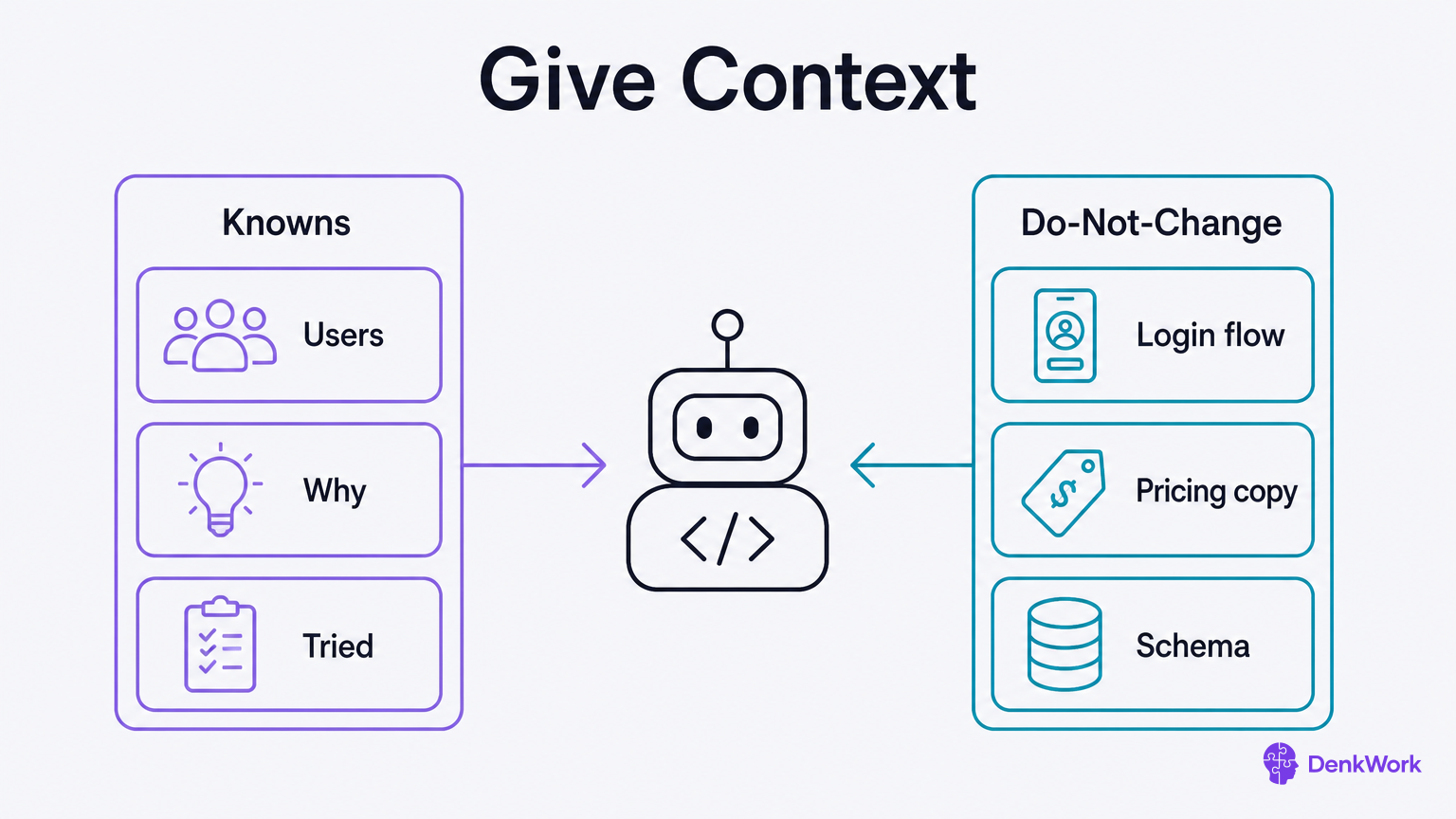
Computers are fast, not psychic. Offer the facts it will not know: what you already tried, who uses the thing, why this feature exists, deadlines, performance targets, and files or flows it must not touch. This is your context packet. Post it once, and ask the agent to summarize it and keep it in view.
Be blunt about no-go areas: protected files, flows, privacy rules, and paid usage caps. Name limits like “images are large, upload bandwidth is slow” or “we must not store card numbers.” If a choice has history, write two lines about how you got here. That prevents the agent from undoing a careful decision because it looks simpler on paper.
Ask the agent to echo constraints at the top of each plan and to refuse work that violates them. A polite refusal is better than a silent breakage.
- 1
Post your context packet and ask for a summary.
Paste the packet once and request a short, bulleted restatement.
CheckThe summary lists users, purpose, tried items, constraints, and do-not-change items.
Context packet for this project:
- Users: [who]
- Purpose: [why this feature exists]
- Tried already: [attempts and outcomes]
- Constraints: [performance, privacy, budget, deadlines]
- Do-not-change: [files, flows, copy]

Summarize these in your own words and keep them at the top of each plan. If a request would violate them, refuse and explain. Confirm you will do this.Send it to read and report first, then decide from what it found.
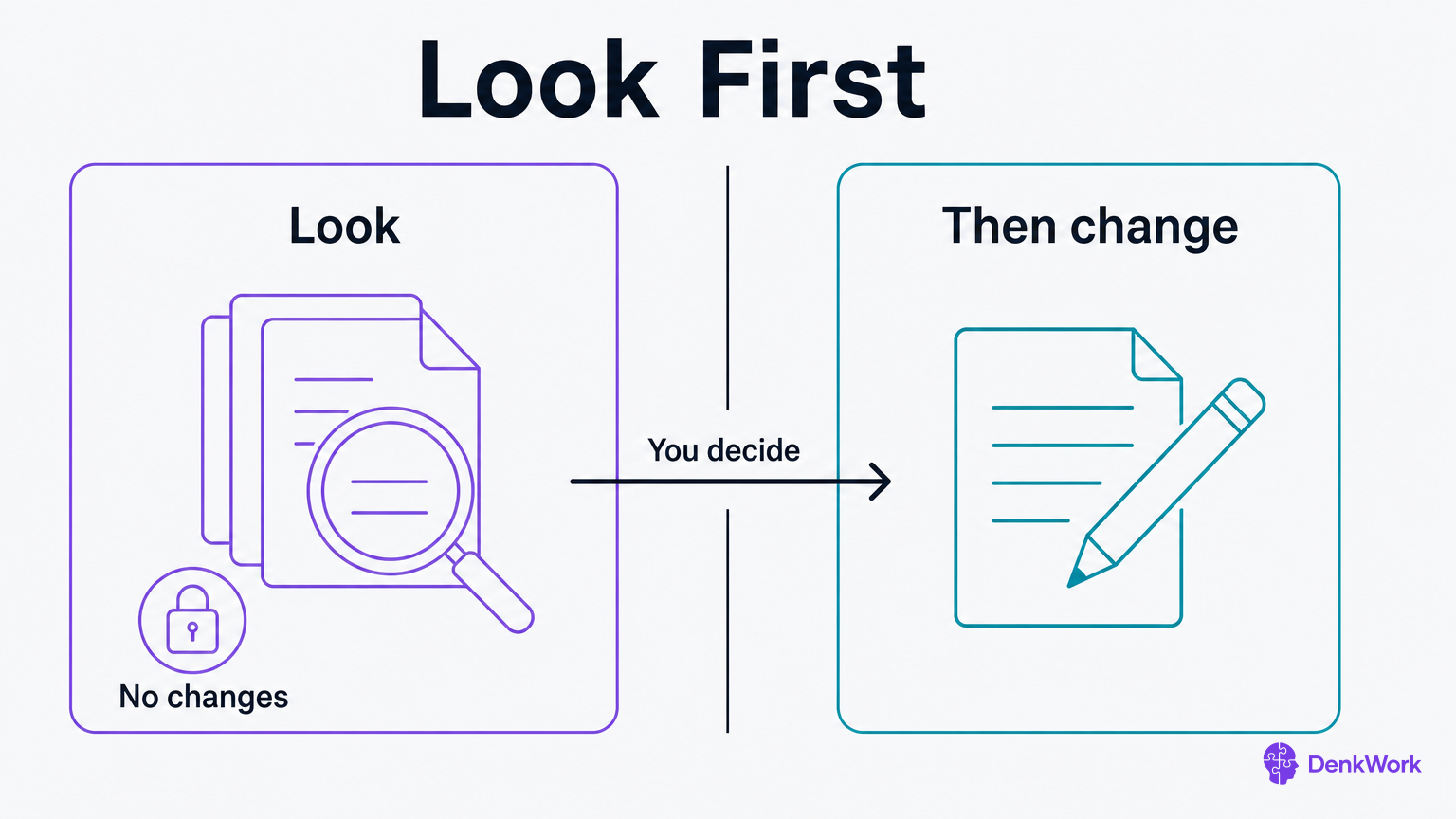
The quickest way to break something is to ask for a change while nobody knows where the thing lives. Ask for a button to be green and the agent will find a green button somewhere and change it. Whether it was your button is a separate question, and by then it is your problem.
So split the request in two. First message: find it, explain how it works, change nothing. Second message: now that we both know, here is what I want. The first message costs thirty seconds and it is where most bad afternoons get prevented.
This is not the same as asking for a plan. A plan is a promise about what the agent intends to do, and it is only as good as what the agent assumed. A read-only pass is a report about what is actually in your project. Get the report first and the plan has something real underneath it.
- 1
Ask for a read-only pass before anything changes.
Say what you want to end up able to do, then tell it to only look and report this round.
CheckThe reply says where the thing lives and states plainly that nothing was changed.
- 2
Approve or redirect based on what came back.
If it found the thing in three places, pick one. If it found nothing, your change was about to land somewhere else entirely.
CheckYou and the agent are naming the same file or screen before any code moves.
Read only this round. Change nothing and write no code.

I want to end up able to: [say the outcome in plain words, not the steps].

Find where that is handled in this project and report back with:
- Which files or screens are involved, and what each one does
- Anything else that would be affected if we changed it
- Anything that surprised you, or that looks like it is handled in more than one place

I am not a developer, so use ordinary words. Then stop. I will tell you what to change once I have read this.
You are looking for one clear answer to "where does this live", and confirmation that nothing moved.
How long should a look pass take?
Seconds, usually. It is reading, not building, and if it comes back with pages of analysis you asked too broadly. Narrow it to the one screen or the one behaviour you care about and ask again.
The exception is a project you did not write, or one you have not touched in months. There the first look pass is genuinely worth ten minutes, because everything you do afterwards rests on it.