When it gets stuck
Something will break, and the gap between ten minutes and a lost afternoon is entirely in how you hand the problem over. This lesson covers the error loop that converges instead of going in circles, and the move most beginners never find: letting the agent look at your app rather than reading your description of it.
- Paste the whole error rather than your summary of it
- Ask for the smallest fix that could work, then confirm it worked
- Show the agent the screen, and make it look again after the change
Share the whole error, ask for the smallest fix, confirm it works.
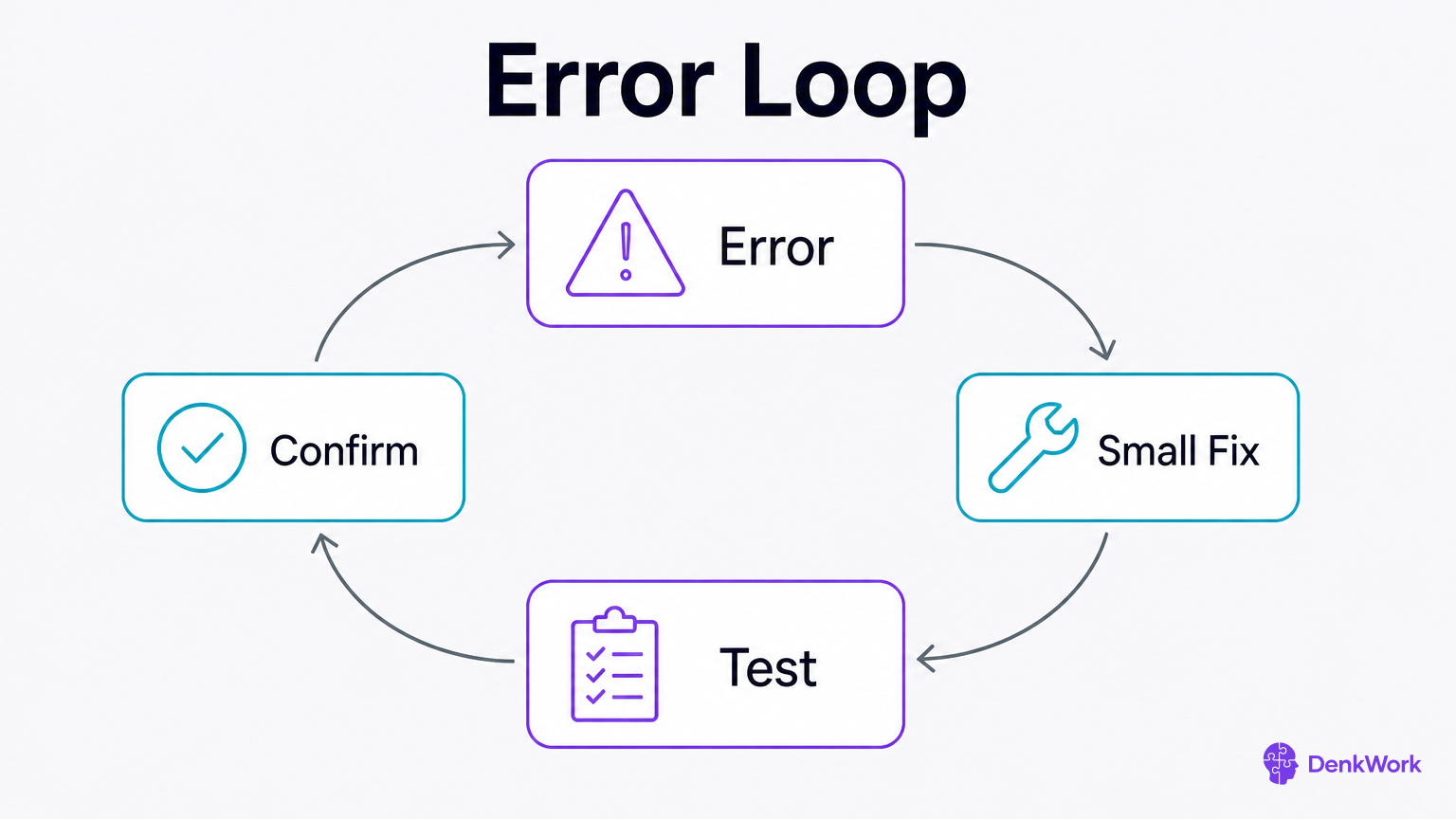
Errors happen. Treat them as a loop, not a wall. Share the full message, say what you did right before it, and ask for the smallest change that fixes it. Ask how to prove the fix and what risk comes with it. Keep the blast radius tiny.
A good error report has four parts: the full error text or screenshot, the action that caused it, what you already tried, and the environment it happened in, like “iOS simulator, Debug build.” Ask for a one-file or one-line fix first. If the agent wants bigger changes, ask why a smaller patch will not do.
After a fix, run the check and say what you saw. If it works, ask the agent to add a brief note to DECISIONS.md about the cause and fix, so future you does not hit it twice.
- 1
Capture and paste the complete error with what you did before it.
Include the action you took, what you tried already, and where you saw it.
CheckThe agent restates the error and proposes a minimal change and a test.
- 2
Run the suggested check and report the result.
Follow the human-runnable test the agent gave you and say what happened.
CheckThe agent either closes the loop or proposes the next smallest step.
Error report:
- What I did: [one-line action]
- Full error: [paste full text or describe screenshot]
- Tried already: [attempts]
- Where: [device or simulator, build type]
Request: propose the smallest code change to fix this, name the exact file and lines, give one human-runnable test to confirm, and note any side effects. Do not refactor. Wait for my approval before changing code.An agent that can look at your app stops guessing about it.
Describing a visual problem in words is hard, and you will do it badly, because the words for it are exactly the words you do not have. "The spacing is off" and "it looks cheap" are both true and both unusable. Meanwhile the thing you are describing is sitting on your screen.
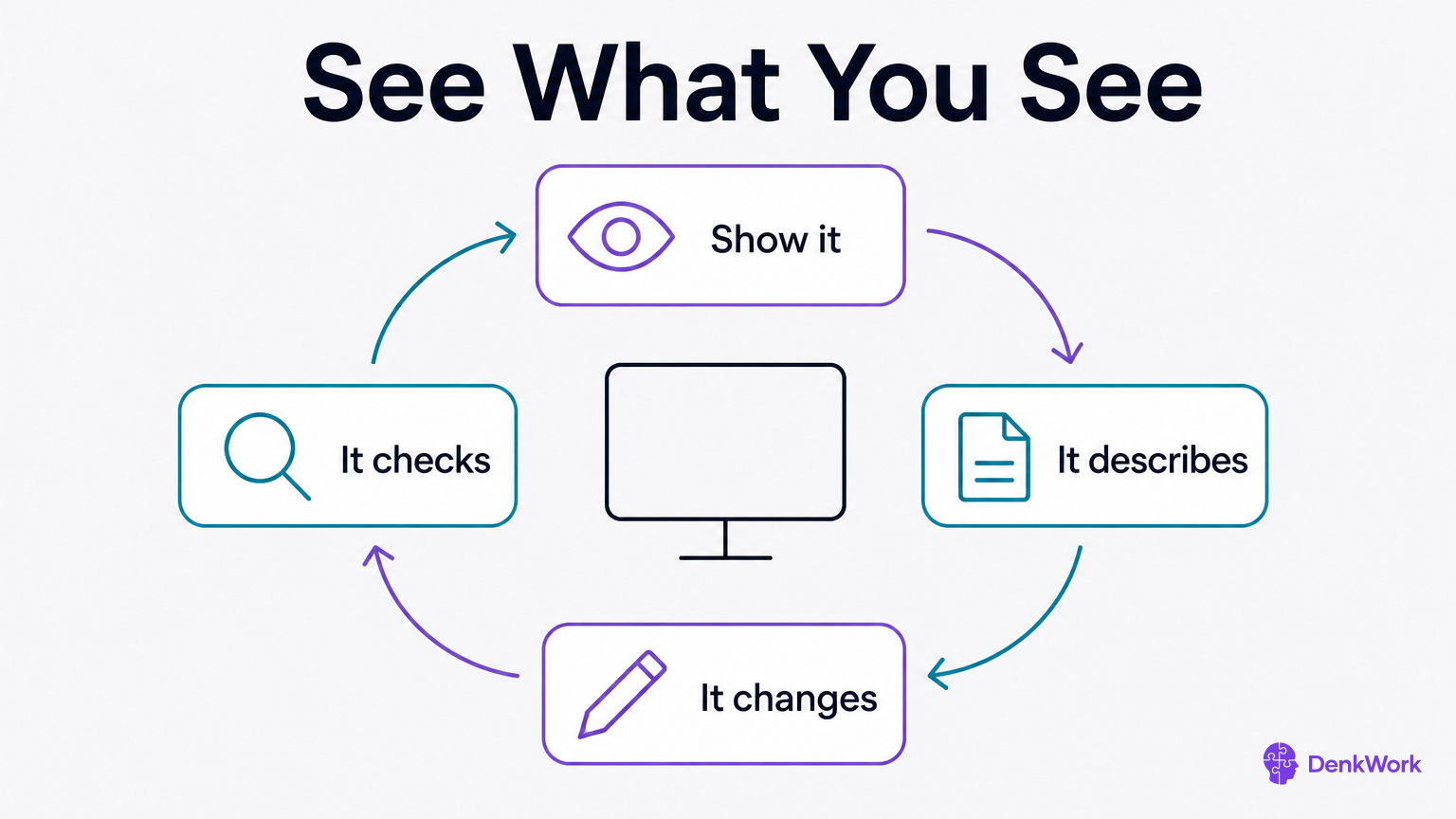
Most agents can look at it. Paste in a screenshot, or start your app and let the agent open it and take its own. From there you are both working from the same picture, and the conversation stops being a translation exercise.
Two places make this worth the setup. Design, where the only honest test is whether it looks right. And the bugs you cannot describe: a screen that loops back to itself, a button that does nothing, a sign-in that forgets you. Letting the agent reproduce it and watch what happens beats any account you could write of it.
- 1
Show it the screen you are talking about.
Paste a screenshot into the conversation, or start your app and let the agent open it.
CheckIt describes what is on the screen accurately before proposing anything.
- 2
Have it look again once the change is in.
The before and after is the check. An agent that cannot show you one has not verified anything.
CheckYou get a second look at the same screen with the difference named.
Here is the screen I mean: [paste a screenshot, or tell it to open your app while it is running].

Look at it and describe what you see before suggesting anything, so I know we are talking about the same thing.

Then: [say what is wrong, roughly is fine, and what you would rather have].

Read only until I say otherwise. Once we agree on what should change, make the change, look at the screen again, and show me the before and the after.
If its description of the screen does not match what you see, stop there. Nothing after that will be right.
Why does it stop and ask you to sign in?
Because it should. An agent driving your app that reaches a sign-in screen has two options, and the good one is stopping to hand the keyboard back rather than going to look for your password.
Give it the screen, never the credentials. You sign in, it carries on from there. Anything offering to store your password so it does not have to interrupt you again is offering you a problem dressed as a convenience.